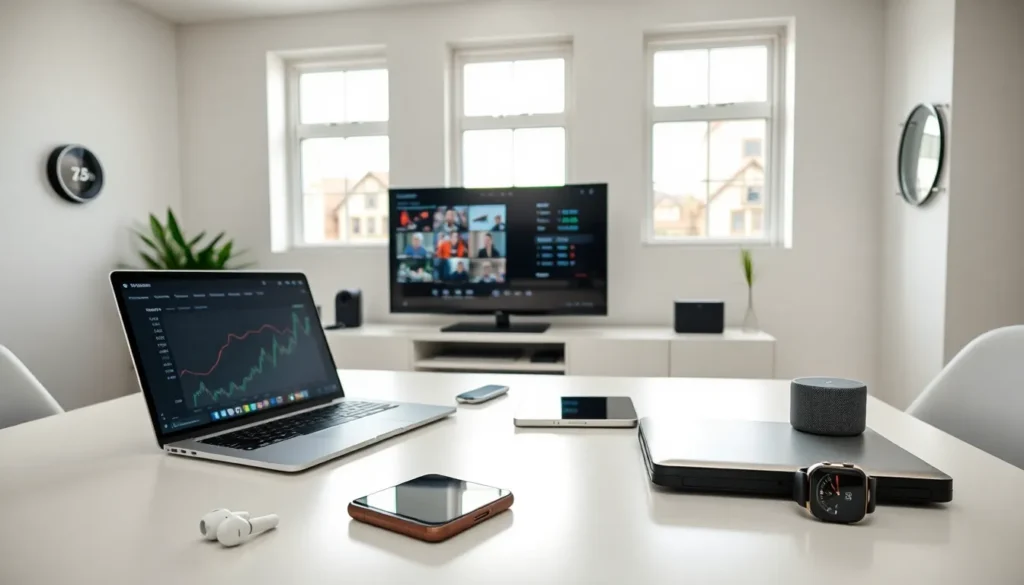

A consumer electronics guide can save hours of research and prevent costly mistakes. The average household now owns more than 20 electronic devices, from smartphones to smart refrigerators. Making the right choice matters more than ever.
This consumer electronics guide breaks down essential categories, buying factors, and shopping strategies. Readers will learn how to evaluate products, spot good deals, and protect their investments. Whether someone needs a new laptop, television, or wearable device, these insights apply across the board.
Table of Contents
ToggleKey Takeaways
- A consumer electronics guide helps you navigate over 20 device types in the average household, saving time and preventing costly mistakes.
- Match product specifications to your actual needs—overspending on unused features wastes money.
- Shop strategically during Black Friday, Prime Day, or new product launches to save hundreds on electronics.
- Read both professional and user reviews to spot long-term issues that short testing periods miss.
- Protect your investment with cases, regular software updates, and proper battery care to extend device lifespan.
- Consider manufacturer-refurbished products for 15-30% savings with warranty protection included.
Understanding Consumer Electronics Categories
Consumer electronics fall into several distinct categories. Each serves different purposes and comes with unique considerations.
Computing Devices
Laptops, desktops, and tablets form the backbone of personal computing. Laptops offer portability for work and travel. Desktops deliver more power for gaming and professional tasks. Tablets split the difference, providing casual browsing and media consumption.
Smartphones and Wearables
Smartphones have become essential daily tools. They handle communication, photography, navigation, and entertainment. Wearables like smartwatches and fitness trackers extend smartphone functionality to the wrist. These devices monitor health metrics and deliver notifications.
Home Entertainment
Televisions, soundbars, and streaming devices create the modern living room experience. Screen sizes now range from 32 inches to over 85 inches. Sound systems have evolved from simple speakers to immersive surround setups. Streaming devices connect older TVs to modern content platforms.
Smart Home Devices
Smart speakers, cameras, thermostats, and lighting systems automate household tasks. Voice assistants control these devices through simple commands. This category continues to grow as more appliances gain connectivity.
Understanding these categories helps buyers narrow their search. A clear picture of device types makes comparison shopping easier.
Key Factors to Consider Before Buying
Several factors determine whether an electronic device meets a buyer’s needs. Price alone doesn’t tell the whole story.
Performance and Specifications
Processor speed, memory, and storage capacity affect how devices perform. A laptop for video editing needs different specs than one for web browsing. Buyers should match specifications to their intended use. Overspending on power they won’t use wastes money.
Build Quality and Design
Materials and construction influence durability. Metal frames last longer than plastic ones. Thin, light devices sacrifice battery size and port options. The right balance depends on how and where someone uses the device.
Battery Life
Portable electronics live or die by battery performance. Manufacturers often exaggerate battery claims. Independent reviews provide more accurate real-world numbers. Heavy users should prioritize devices with all-day battery life.
Operating System and Ecosystem
Apple, Android, and Windows products work best within their own ecosystems. Someone with an iPhone benefits from a MacBook’s seamless integration. Switching ecosystems means learning new interfaces and potentially losing app purchases.
Warranty and Support
Warranty length and customer service quality vary widely between brands. Extended warranties sometimes make sense for expensive items. Buyers should research a brand’s reputation for handling repairs and replacements.
This consumer electronics guide emphasizes doing assignments before purchase. A few hours of research prevents years of frustration with the wrong device.
Smart Shopping Tips for Electronics
Timing and strategy can save hundreds of dollars on consumer electronics purchases.
Wait for Sales Events
Black Friday, Prime Day, and holiday sales offer significant discounts. New product releases also drop prices on previous-generation models. A six-month-old phone often performs nearly identically to the latest model at half the price.
Compare Prices Across Retailers
Prices vary between stores, sometimes by 20% or more. Price-tracking websites show historical trends and alert buyers to deals. Some retailers match competitors’ prices when asked.
Read Multiple Reviews
Professional reviews test products systematically. User reviews reveal long-term issues that don’t appear in short testing periods. Both sources provide valuable information. Look for patterns in complaints rather than isolated negative experiences.
Consider Refurbished Options
Manufacturer-refurbished products undergo testing and repairs. They typically include warranties and cost 15-30% less than new items. This option works well for buyers who prioritize value over having the newest model.
Check Return Policies
Generous return windows allow proper testing at home. Store demos don’t replicate real usage conditions. A 30-day return policy gives buyers time to discover problems.
Smart shopping turns a consumer electronics guide into actual savings. Patience and research pay off in better products at lower prices.
Maintaining and Protecting Your Devices
Proper care extends the life of electronic devices and protects investments.
Physical Protection
Cases and screen protectors prevent damage from drops and scratches. Quality accessories cost far less than repairs. Waterproof ratings don’t mean devices survive all water exposure, salt water and chlorine still cause damage.
Software Updates
Regular updates patch security vulnerabilities and improve performance. Delaying updates exposes devices to malware and hackers. Most devices can schedule automatic updates during off-hours.
Battery Care
Modern lithium batteries don’t need full discharge cycles. Keeping charge between 20% and 80% extends battery lifespan. Extreme temperatures, both hot and cold, degrade batteries faster.
Cleaning and Storage
Dust clogs vents and causes overheating. Microfiber cloths and compressed air keep devices clean. Store electronics in cool, dry places away from direct sunlight.
Backup Important Data
Cloud services and external drives protect irreplaceable photos and documents. Devices fail eventually. Regular backups ensure data survives hardware problems.
This consumer electronics guide wouldn’t be complete without maintenance advice. The best device becomes worthless when damaged or compromised.