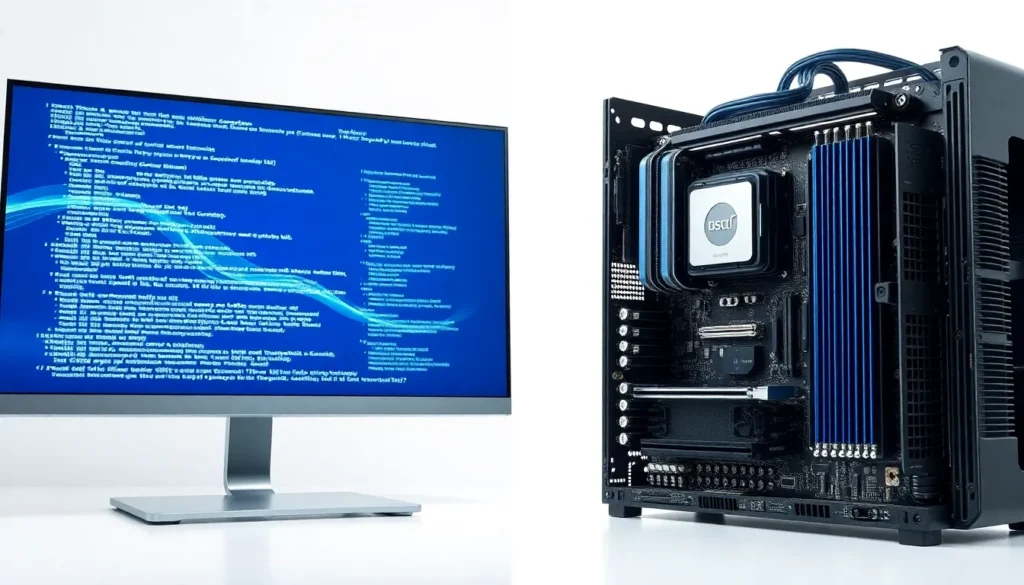

Software vs hardware, it’s a distinction every tech user encounters, yet many people blur the line between them. One you can touch. The other exists only as code. Together, they power every device from smartphones to supercomputers.
Understanding software vs hardware matters because troubleshooting problems, upgrading systems, and making smart purchasing decisions all depend on knowing the difference. This guide breaks down what software and hardware actually are, highlights their core differences, and explains how they work as a team to make technology function.
Table of Contents
ToggleKey Takeaways
- Software vs hardware represents the difference between intangible code (programs and operating systems) and tangible physical components (CPU, RAM, storage drives).
- Software provides the logic and instructions, while hardware supplies the physical means to execute them—neither can function without the other.
- Hardware degrades over time and requires physical replacement, whereas software can be updated, copied, or modified digitally without changing your device.
- Drivers act as the essential bridge between software and hardware, enabling your operating system to communicate with devices like printers and graphics cards.
- Understanding whether a problem is software or hardware-related is crucial for effective troubleshooting—crashing apps suggest software issues, while power failures point to hardware.
- Optimal performance requires balancing both: fast software on slow hardware delivers poor results, and advanced hardware running outdated software wastes potential.
What Is Software?
Software refers to the programs, applications, and operating systems that run on a computer or device. It consists of coded instructions that tell hardware what to do. Without software, hardware would sit idle with no direction.
There are two main types of software:
- System software: This includes operating systems like Windows, macOS, and Linux. System software manages hardware resources and provides a platform for other programs to run.
- Application software: These are the programs users interact with directly, web browsers, word processors, games, and mobile apps.
Software is intangible. You can’t hold it in your hands. It exists as data stored on drives or transmitted through networks. Updates happen digitally, and software can be modified, copied, or deleted without any physical changes to your device.
Think of software as the brain’s instructions. It processes information, makes decisions, and directs actions. A spreadsheet application, for example, contains code that interprets keystrokes, performs calculations, and displays results on screen.
Software vs hardware comparisons often emphasize this point: software provides the logic, while hardware provides the physical means to execute it.
What Is Hardware?
Hardware encompasses all the physical components of a computer or electronic device. These are the parts you can see, touch, and hold. If you’ve ever opened a computer case, you’ve looked at hardware.
Common hardware components include:
- Central Processing Unit (CPU): The processor that executes instructions from software
- Random Access Memory (RAM): Temporary memory that stores data for active programs
- Storage drives: Hard disk drives (HDDs) or solid-state drives (SSDs) that hold data permanently
- Motherboard: The main circuit board connecting all components
- Graphics card: Processes visual data for displays
- Input devices: Keyboards, mice, and touchscreens
- Output devices: Monitors, printers, and speakers
Hardware degrades over time. Physical components wear out, overheat, or break. Replacing hardware requires purchasing new physical parts and installing them, a very different process from updating software.
In the software vs hardware debate, hardware represents the tangible foundation. It’s the muscle that performs actual work. RAM stores data physically in electronic circuits. The CPU physically processes billions of calculations per second through transistors.
Hardware limitations directly affect what software can do. A device with limited RAM struggles to run memory-intensive applications. An outdated graphics card can’t display modern games at high settings.
Core Differences Between Software and Hardware
The software vs hardware distinction comes down to several key factors. Here’s a clear breakdown:
| Aspect | Software | Hardware |
|---|---|---|
| Nature | Intangible (code and data) | Tangible (physical components) |
| Creation | Written by programmers | Manufactured in factories |
| Modification | Updated or patched digitally | Requires physical replacement or upgrade |
| Wear | Does not degrade physically | Subject to wear, heat damage, and failure |
| Cost of change | Often free or low-cost updates | Can be expensive to replace |
| Transfer | Copied instantly via download | Must be shipped or physically moved |
Development Process
Software development involves writing code, testing, and debugging. Programmers use languages like Python, Java, or C++ to create applications. Changes happen through code revisions.
Hardware development requires engineering, prototyping, and manufacturing. Creating a new processor involves designing circuits, testing prototypes, and setting up production lines. Changes require new physical designs.
Lifespan and Maintenance
Software can become obsolete when developers stop supporting it, but it doesn’t physically break. A program from 2005 still runs if you have compatible hardware.
Hardware eventually fails. Capacitors dry out. Fans stop spinning. Connections corrode. Regular maintenance extends life, but replacement becomes inevitable.
Interdependence
Here’s an important point about software vs hardware: neither functions alone. The fastest processor means nothing without an operating system. The most elegant code can’t run without physical circuits to execute it.
How Software and Hardware Work Together
Software and hardware form a partnership. The relationship works like a conversation, software sends instructions, hardware executes them, and results flow back.
Consider what happens when you click a button in an application:
- The mouse (hardware) detects the click and sends an electrical signal
- The operating system (software) interprets this signal
- The application (software) receives the click event
- The CPU (hardware) processes the application’s response code
- The graphics card (hardware) renders the visual change
- The monitor (hardware) displays the updated screen
This cycle repeats millions of times per second during normal use.
Drivers: The Bridge
Drivers are specialized software that allow operating systems to communicate with specific hardware. When you install a new printer, the driver teaches your computer how to send print commands in a format that printer understands.
Without proper drivers, hardware sits useless. The physical device works fine, but software can’t speak its language.
Firmware: A Hybrid
Firmware blurs the software vs hardware line. It’s software permanently stored on hardware chips. Your computer’s BIOS or UEFI is firmware, it initializes hardware before the operating system loads.
Performance Balance
Optimal computing requires balance. Fast software on slow hardware delivers poor results. Advanced hardware running outdated software wastes potential. Smart users consider both sides when building or purchasing systems.
When troubleshooting problems, determining whether the issue is software or hardware saves time. A crashing application suggests software issues. A computer that won’t power on points to hardware failure.